
How To Sync Your Fantasy Football Leagues With Fantasy HQ
If you've been around Fantasy Life lately, you've noticed the countless upgrades and changes we've made to our website for the 2025 season. The one upgrade that trumps all, however, is Fantasy HQ—your most comprehensive fantasy football command center.
As exciting as it is to dive straight into the deep end and get into the ins and outs of your leagues and teams, the first step is the most important: correctly syncing your leagues to Fantasy HQ. And this varies by provider.
What follows is a quick guide on how to sync your league, regardless of platform.
What Platforms are Ready For Syncing In Fantasy HQ?
Fantasy HQ currently supports the following fantasy football providers for syncing:
- ESPN
- Yahoo
- Sleeper
- Guillotine Leagues™
- CBS
- MFL (My Fantasy League)
- RT Sports
- FFPC
- Fleaflicker
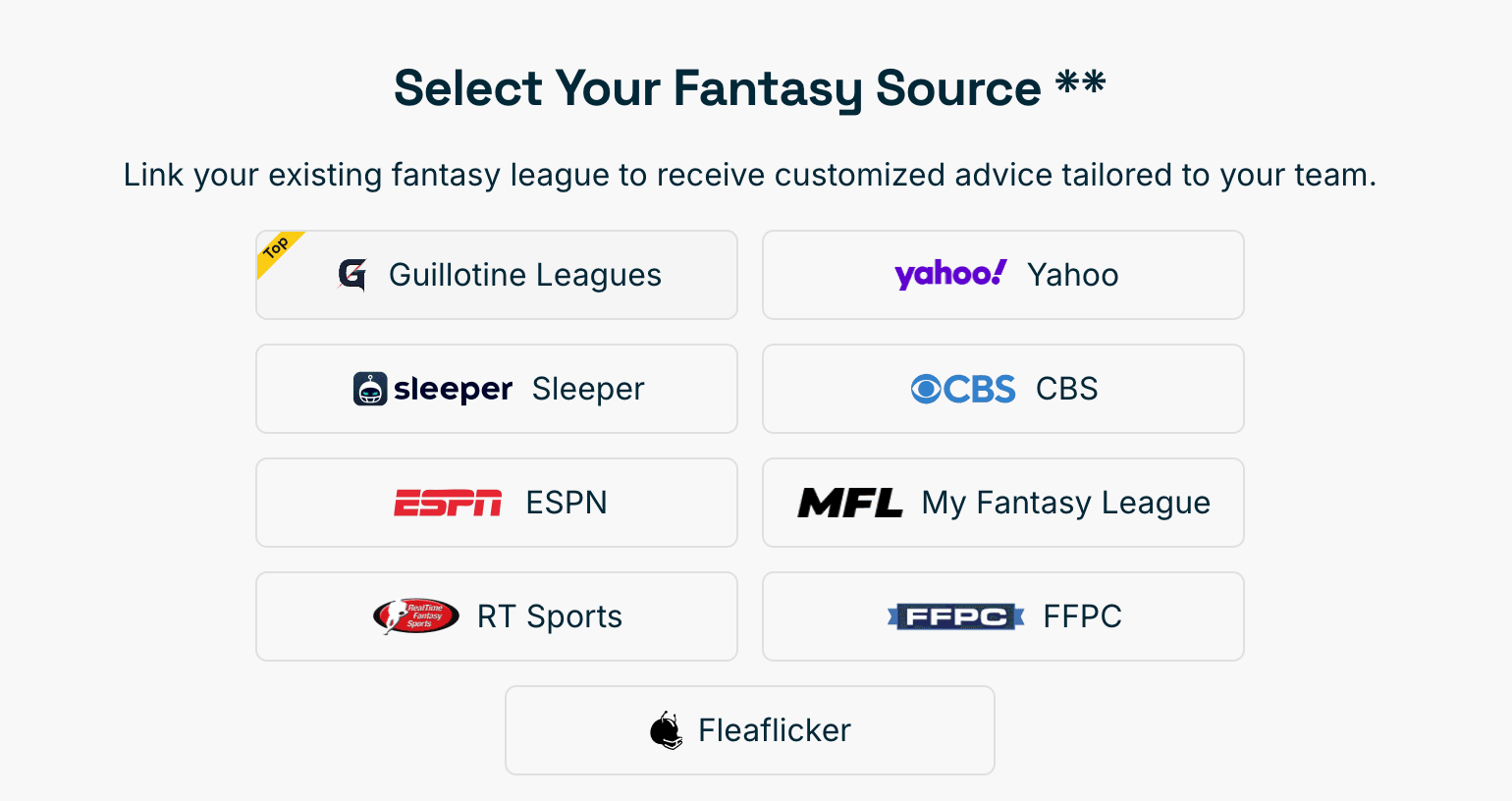
To start the league syncing process, click here.
Once your league is synced, you'll be able to find these settings available to adjust (under rankings set) across the Fantasy Life universe, from our Rankings to our projections, player auction values, Draft Champion, and more.
For instructions on syncing each individual platform to Fantasy HQ, see below.
Syncing ESPN Leagues To Fantasy HQ
One key difference when it comes to syncing your ESPN leagues to Fantasy HQ relative to other platforms is the specific page you need to connect.
When clicking "ESPN" as your preferred platform, you will see the page below, with the note: Enter your public team page URL below.
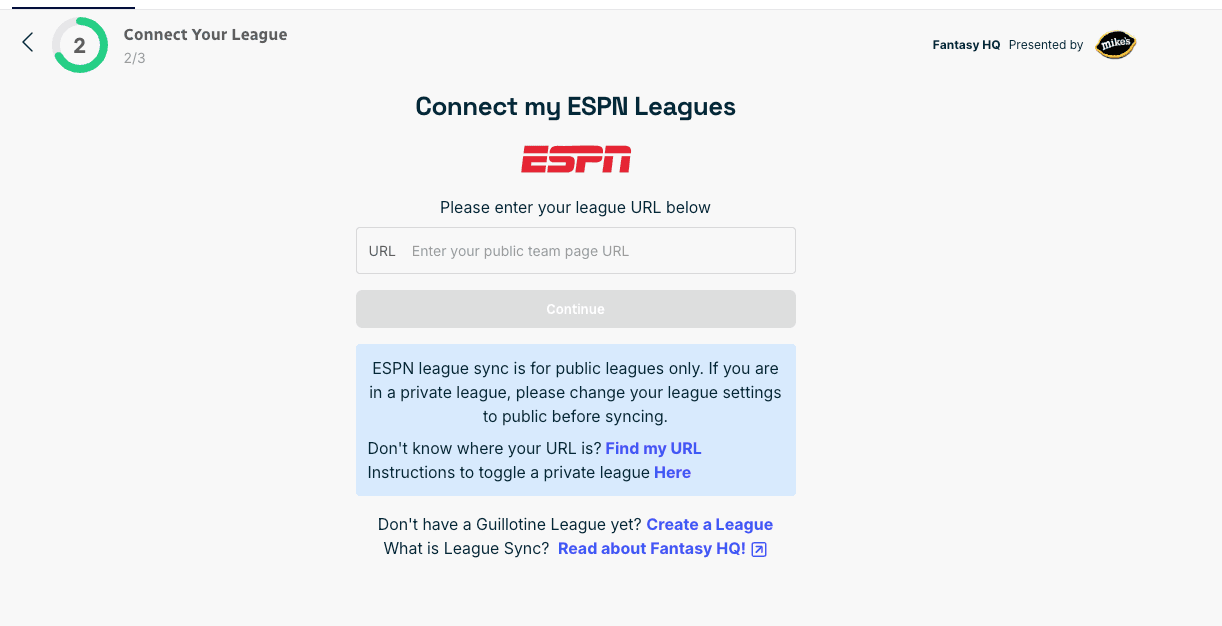
Triple-check that you are on your team-specific page copying the URL, and not your league's home page. Your league must also be set to public. If it is not, reach out to your commissioner to adjust; otherwise, it will not be syncable.
To access your URL for your team page on ESPN, make sure the sub menu indicates that you are on the "My Team" page, and the URL ends in /team?leagueid=.

Once you copy/paste the URL into Fantasy HQ, your sync will begin and take up to five minutes.
Syncing Sleeper Leagues To Fantasy HQ
Syncing leagues from Sleeper into Fantasy HQ is as seamless a process as they come.
To begin, all you have to do is enter your Sleeper username on the screen below (after you select Sleeper out of the available providers).
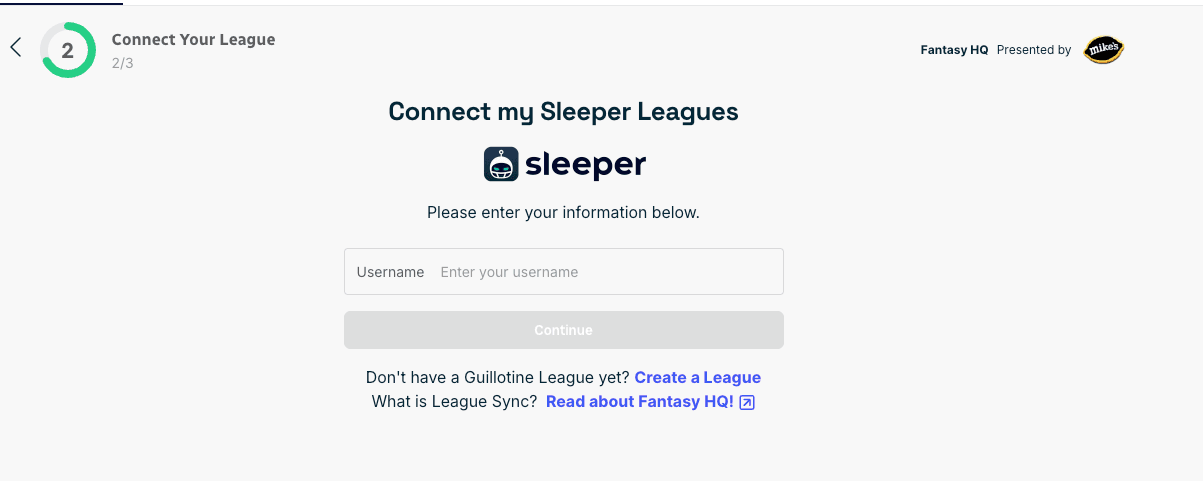
From there, you will see a screen that allows you to select all, or only one/some of your sleeper leagues to sync.
Syncing Yahoo Leagues To Fantasy HQ
When it comes to syncing your Yahoo fantasy football leagues, you need to log in natively to Yahoo to complete the sync. After selecting Yahoo as your provider, you will be taken to the screen below:
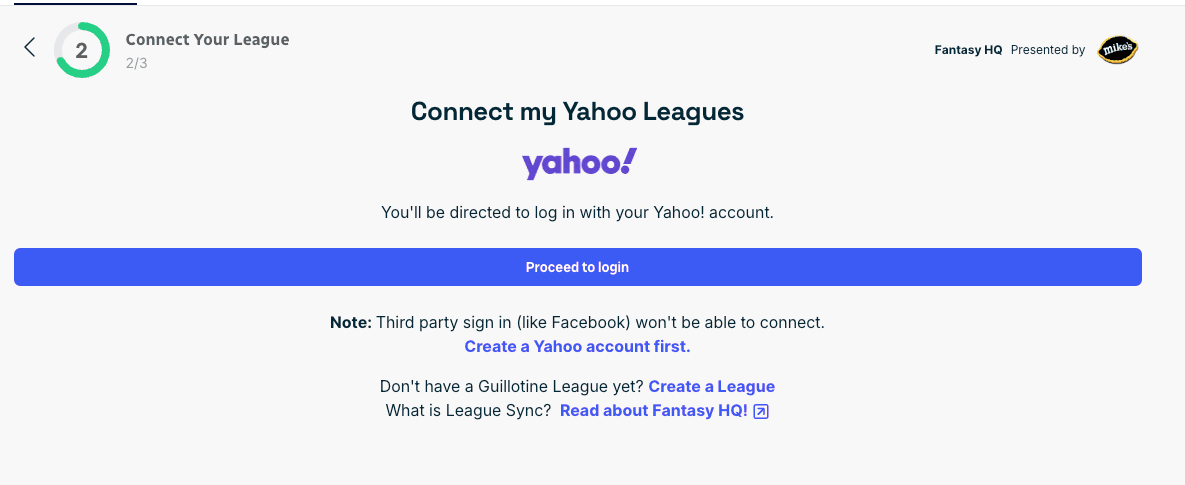
To begin the Yahoo sync, click "Proceed to login". It is important to note that you must log in to Yahoo with a native Yahoo account, not a third-party account such as Facebook.
Once you log into Yahoo, you will be guided through the process to finalize your league sync.
Syncing Guillotine Leagues™ To Fantasy HQ
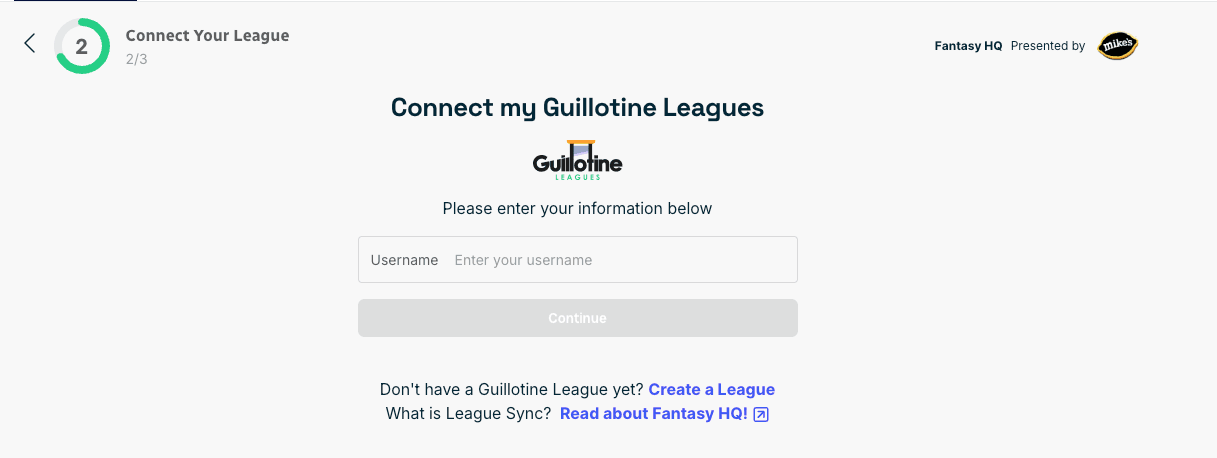
Similar to Yahoo, all you need to do to sync your Guillotine Leagues to Fantasy HQ is enter your Guillotine Leagues username in the field below, once you select it as your provider.
NOTE: Guillotine Leagues usernames are case sensitive. Please double-check that your username entered is an exact match for what is on your Guillotine Leagues account.
If you have further questions, comments, or concerns regarding Fantasy HQ and syncing your league, reach out to support@fantasylife.com.
Published Updated